
Race meet setup with multiple races, teams, racer entries, race schedules, race status, and public RaceCenter pages.
For race directors
A clearer race day. From start to finish.
Bring meets, courses, entries, timing, splits, and results together. Give your crew a connected workflow and your audience a RaceCenter to follow.
Explore the possibilities. Choose the access that fits.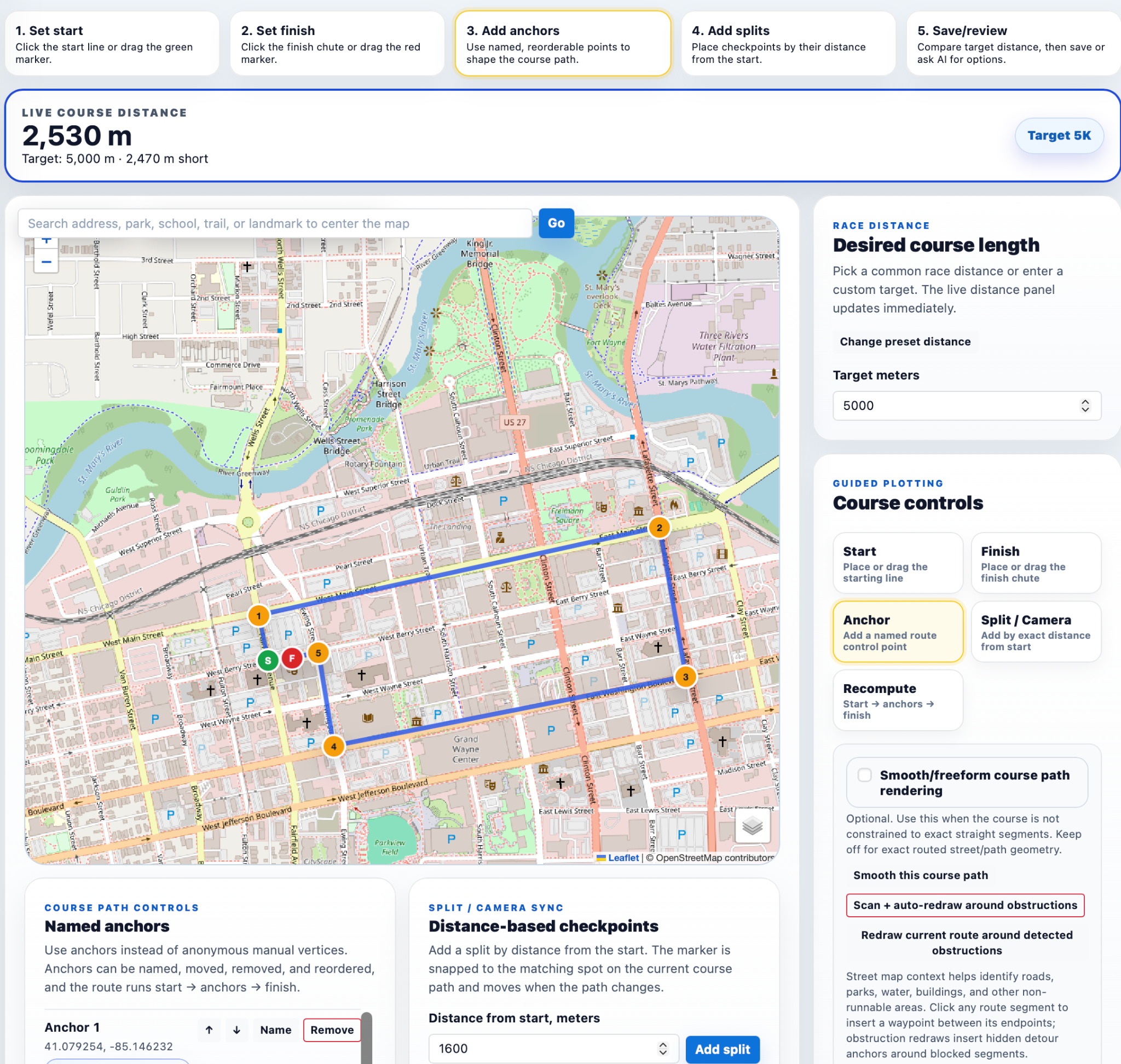
Cleaner race-day operationsBetter public RaceCenter experienceMore value for teams and sponsors
A better way to stay connectedBuilt for your part
Built for your part
in the game.
Discover what is possible, then compare current plans to find the tools and access that fit your needs.
Course management with maps, course distance, assigned courses by race, named splits/checkpoints, and course previews.
Timing and results workflows for finishers, top performers, team scoring, race summaries, and racer profile connections.
Race-specific media, sponsor surfaces, articles, photos, and public-friendly RaceCenter storytelling.
In the experience
See how it comes together.
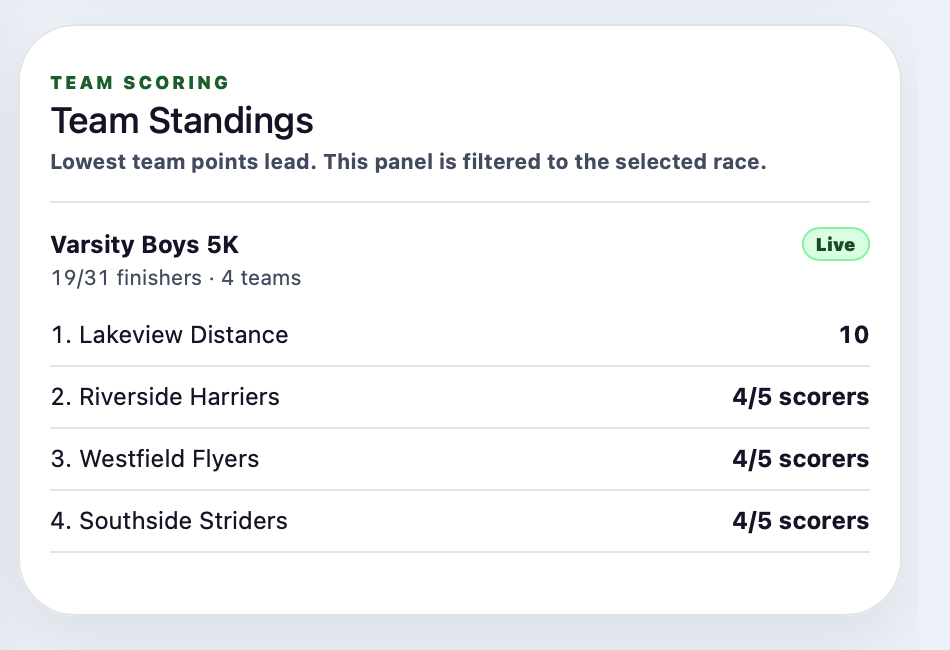
Team scoring
Live team standings for scored races
Show the selected race, current leaders, finisher counts, and incomplete scoring context in one clear scoring panel.

Top finishers
A fast summary of who is leading the race
Top-finisher surfaces help spectators and coaches see the leaders without needing to parse the full results table first.
Picture your next seasonSmall changes.
Small changes.
A more connected experience.
Assign different courses to different races inside the same meet and keep the public view understandable.
Publish race status, top finishers, team context, and course information where families can find it.
Connect results and media back to racer profiles after the meet.
Explore the full feature overview
- Race meet setup with multiple races, teams, racer entries, race schedules, race status, and public RaceCenter pages.
- Course management with maps, course distance, assigned courses by race, named splits/checkpoints, and course previews.
- Timing and results workflows for finishers, top performers, team scoring, race summaries, and racer profile connections.
- Race-specific media, sponsor surfaces, articles, photos, and public-friendly RaceCenter storytelling.
Availability depends on your sport and plan. See current options →